How it works
Five steps. One app.

 1Book
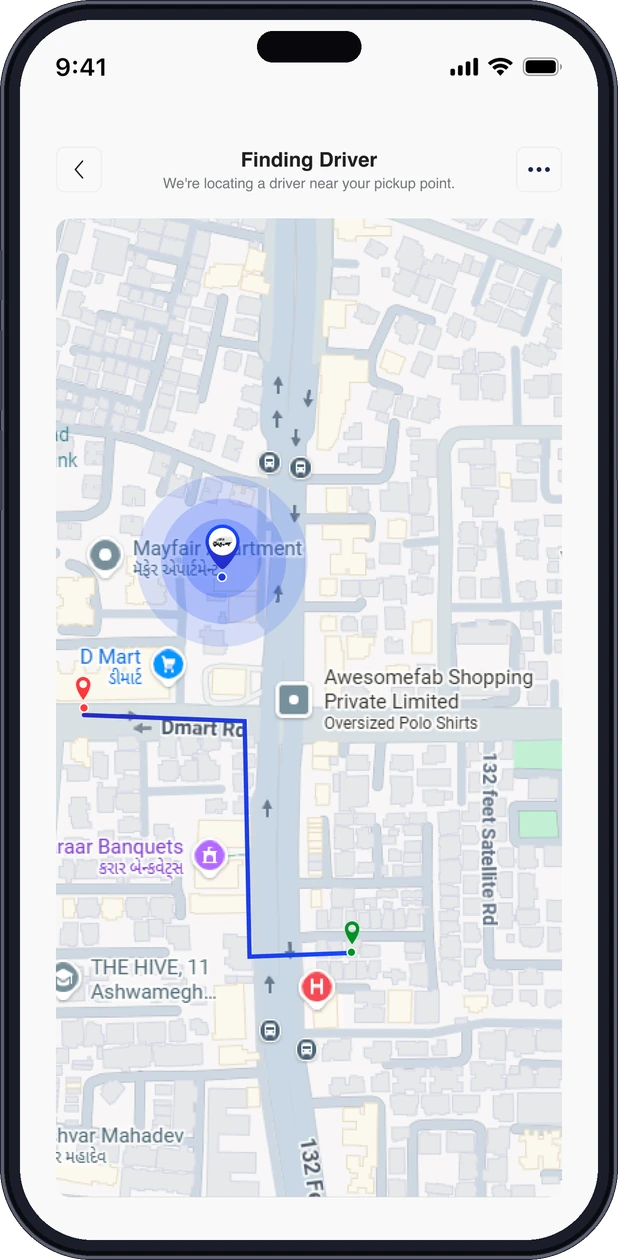
 2Track live
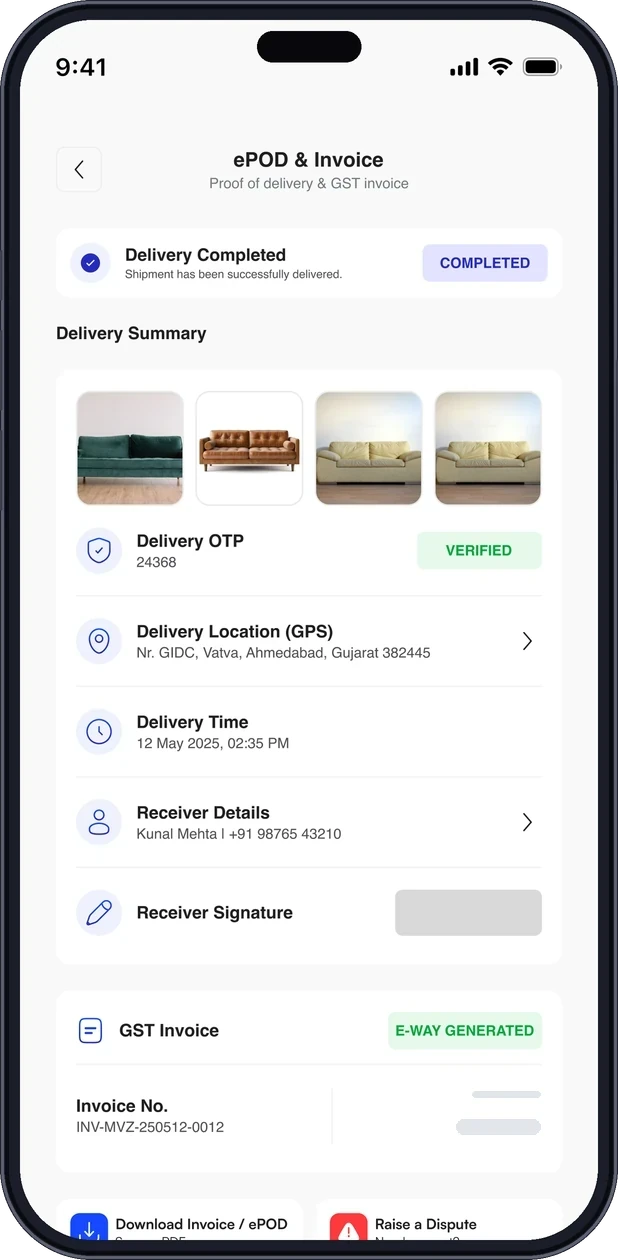 3Proof
Book, match, track, prove, pay
Book
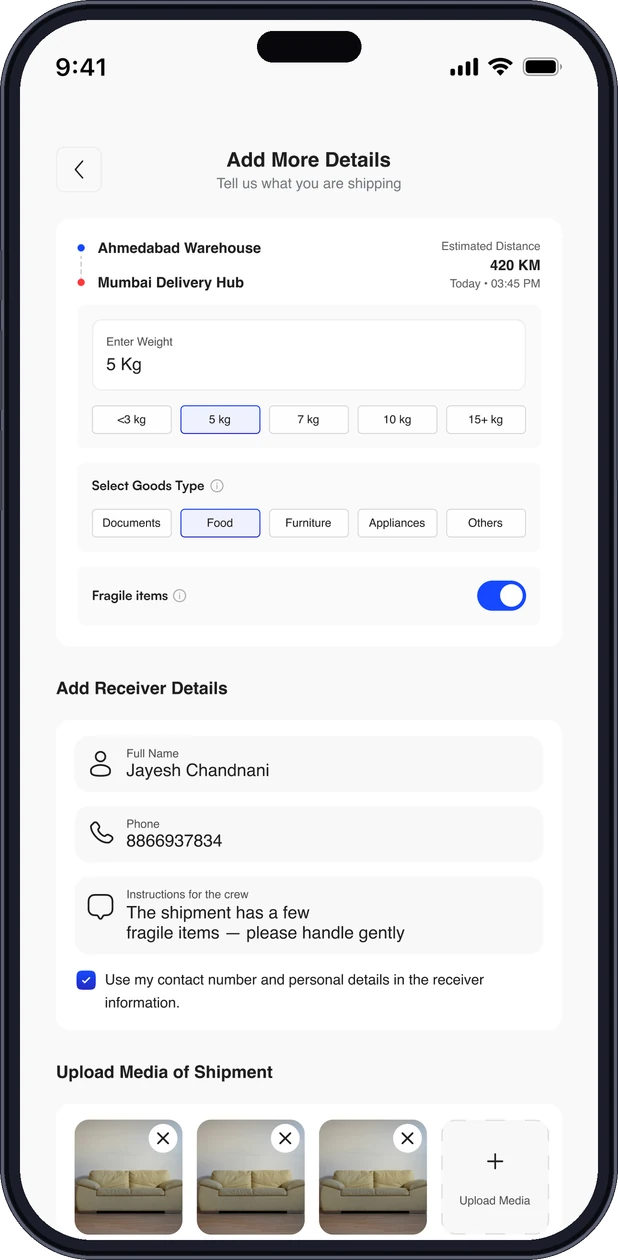
Pickup, drop and what you are sending. The price shows before you confirm.
Match
A verified partner with the right vehicle accepts. You see their name and plate.
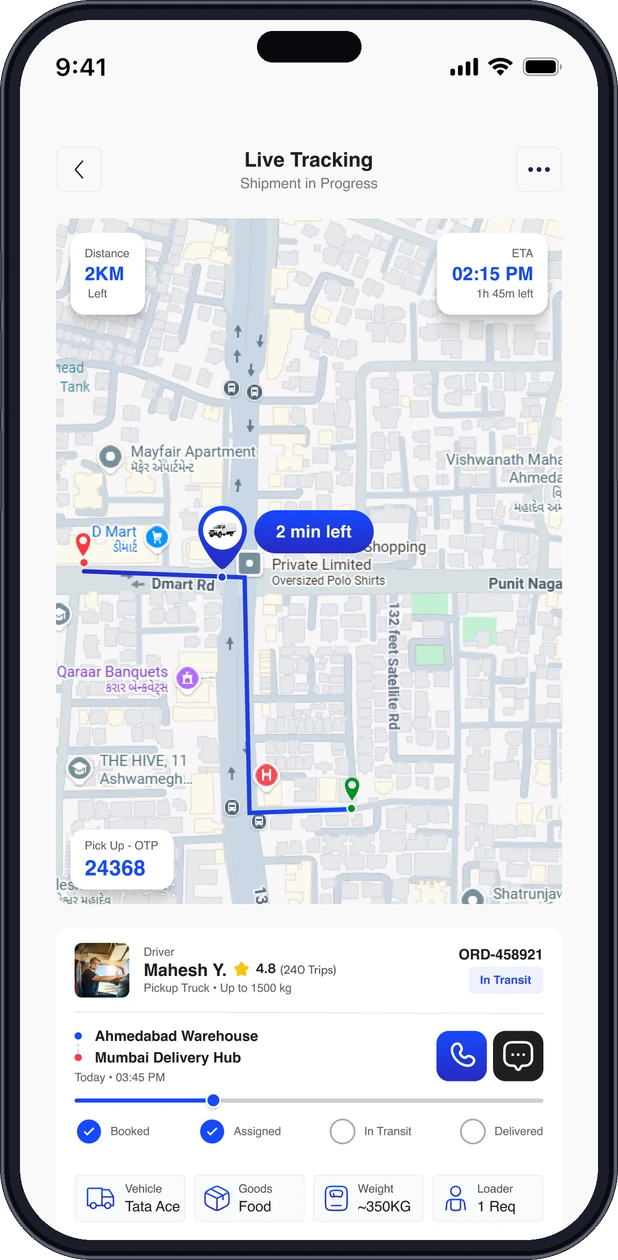
Track
Live map and ETA. Share a link with the receiver; it never shows a phone number.
Prove
OTP at pickup and delivery, a photo and a GPS point at the drop.
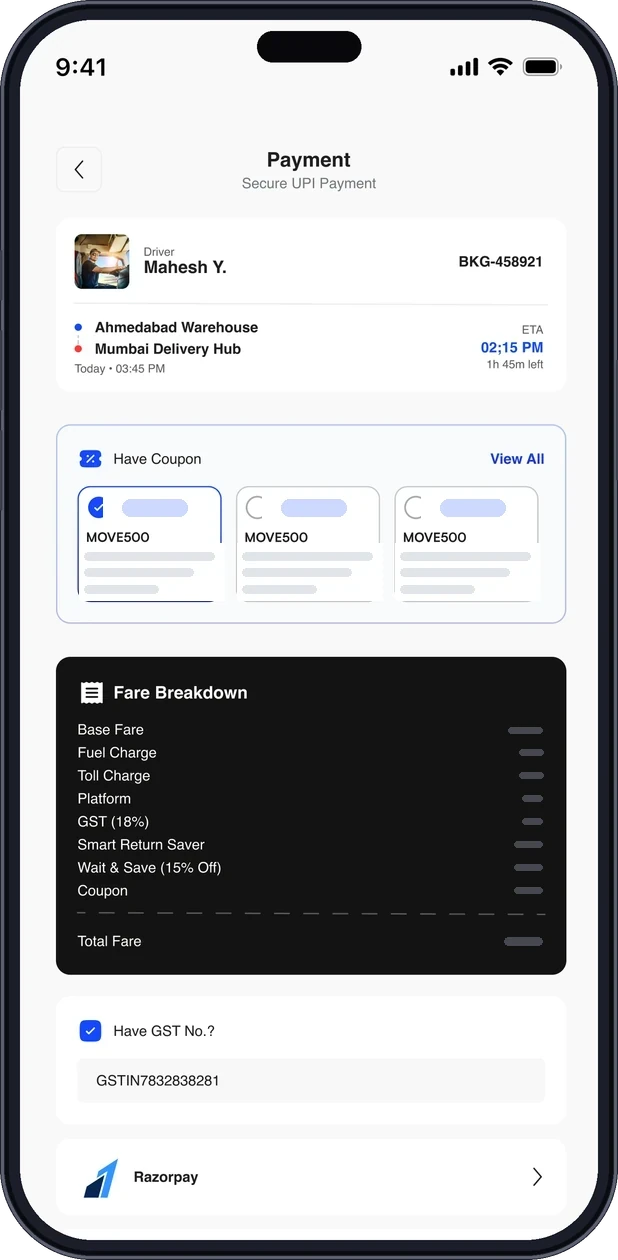
Pay
UPI, card or net banking in the app when you book. Invoice by default.
THE WALKTHROUGH
Eight screens, one place.
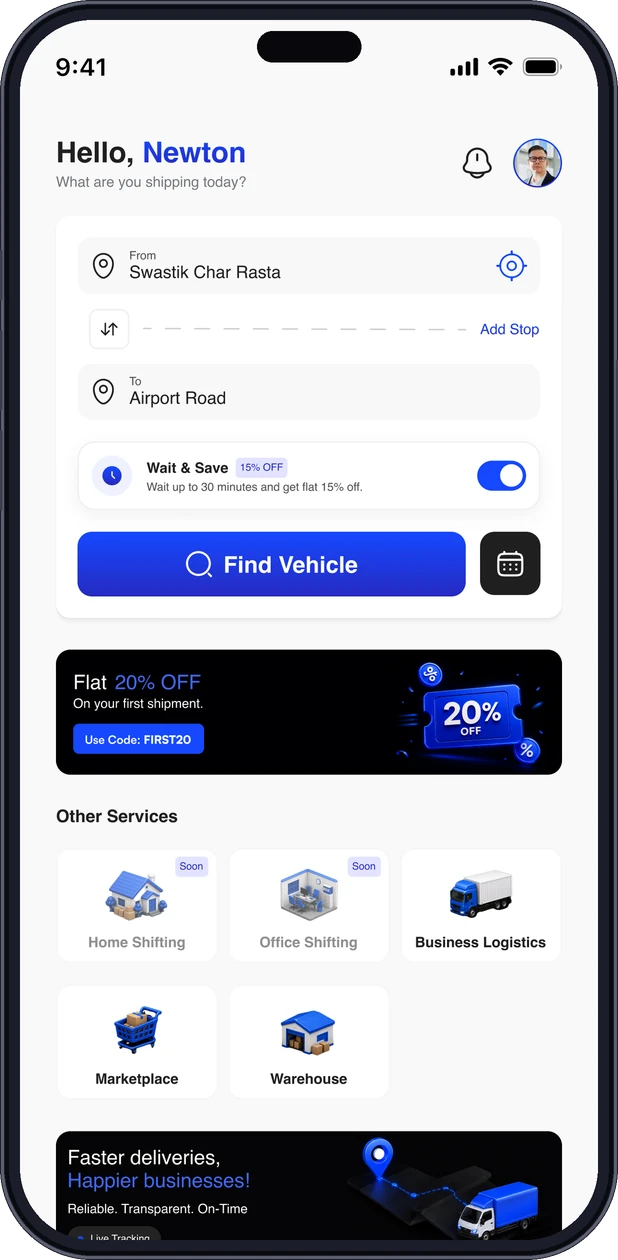
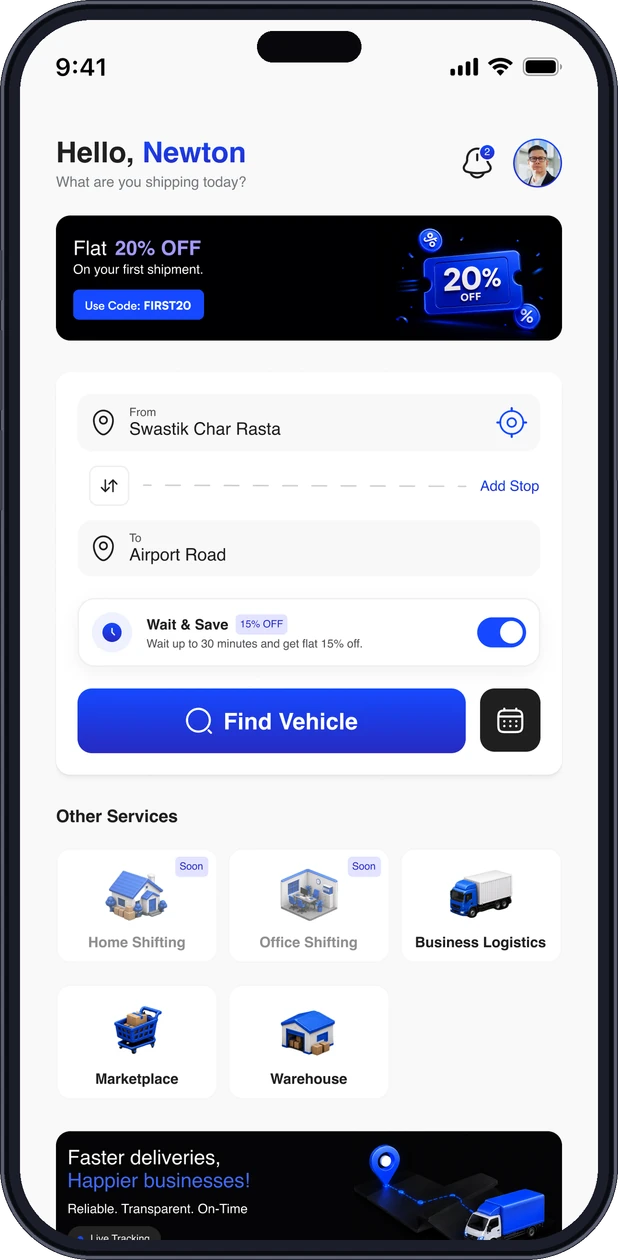
Home
Enter pickup and drop. Add a stop or schedule for later from the same screen.
- Pickup
- Drop
- Add stop
- Schedule

FAQ
Questions, answered.
Short answers to what people ask most. Can’t find yours? Our support team is a message away.
How do I book?


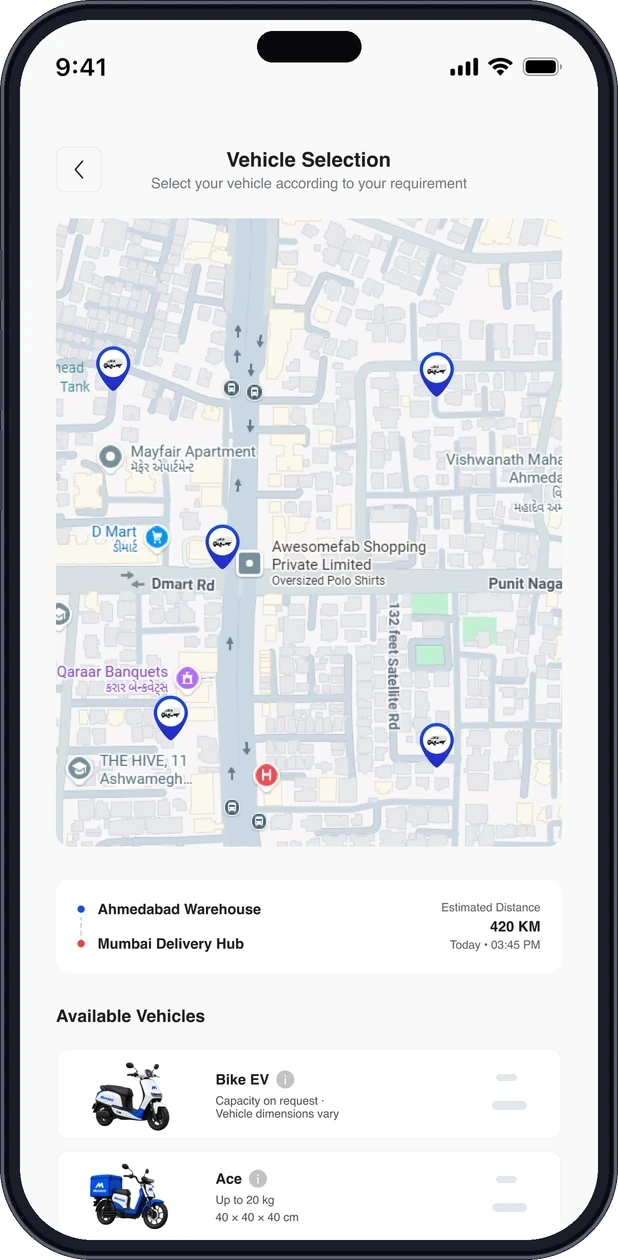
In the Movezo app: enter pickup and drop, add details, pick a vehicle and a speed, and confirm. The price shows before you confirm.
Which cities do you serve?
Ahmedabad first. More cities open as partners join; the app shows whether your pickup is covered.
Can I book for someone else to receive?
Yes. Add the receiver’s name and number on the details screen. They get a tracking link and the delivery OTP.
Can I add more than one drop?
Yes, add a stop from the home screen. Each stop has its own OTP and proof.
Do I need an account?
Yes. You sign in with your mobile number and an OTP; there is no password to remember.
How do I track my shipment?
Live in the app, or with the tracking link you can share. The link shows the map, ETA, the partner’s first name and plate, never a phone number.

READY WHEN YOU ARE
Try it on your next move.