
Key points
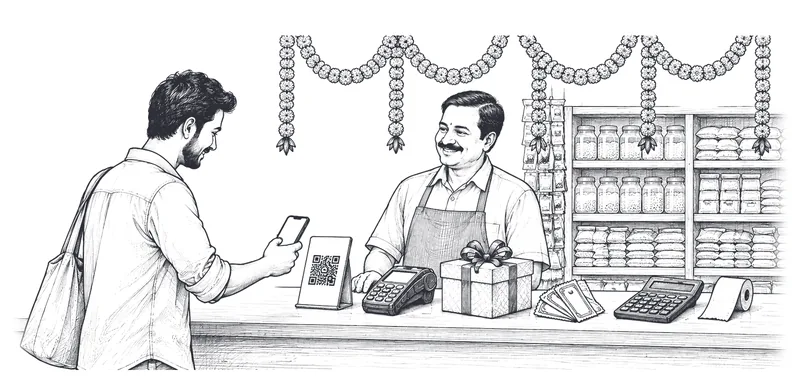
- Pay by UPI, card or net banking through our payment gateway. No cash.
- Payment is taken before a Delivery Partner is sent.
- We never see or store your card number, UPI PIN or bank password.
- Failed or duplicate debits are refunded automatically.
A summary for convenience. The full text below is what applies.
1.How you pay
1.1Bookings are paid in Indian rupees through a licensed payment gateway (currently Razorpay) by UPI, debit card, credit card or net banking. Available methods are shown at checkout.
1.2Cash, pay-on-delivery and payment directly to a Delivery Partner are not accepted. Do not pay a Delivery Partner for a Movezo booking in any way outside the app.
2.Your payment details
2.1Card numbers, UPI PINs, CVV and bank passwords are entered on the payment gateway's or your bank's page and are never seen or stored by Movezo. If you save a card, it is saved by the payment gateway as a secure token under RBI rules.
2.2You confirm that the payment method you use is yours or that you are authorised to use it.
3.When you are charged
3.1The total shown at checkout is charged when you confirm the booking. A Delivery Partner is dispatched only after payment is confirmed.
3.2A UPI request must be approved in your UPI app within the time shown. If it is not, the booking is not created.
3.3Charges that arise after the trip (waiting beyond free time; tolls, parking and packing at actual) are shown in your final bill and charged to the same payment method or, if that is not possible, requested as a separate payment in the app.
3.4If you change the drop or add a stop during a trip, the difference is charged after you accept the revised price.
4.If a payment fails
4.1If your payment fails, the booking is not confirmed and you can try again or use another method.
4.2If money leaves your account but the booking is not confirmed, or you are debited twice, the amount is reversed automatically, normally within 5-7 business days depending on your bank. You do not need to do anything. Contact support if it takes longer.
5.How your payment is handled
5.1Your payment is received in the payment gateway's regulated account. The Delivery Partner's share is settled to the Delivery Partner, and Movezo's platform fee and applicable taxes to Movezo.
5.2The Delivery Partner has authorised Movezo to collect payment for the delivery. Paying through the app fully discharges what you owe for the booking.
6.Credits and offers
6.1Movezo Credits can be used at checkout by switching on 'Use credits'. Credits are applied after any offer. One offer applies per booking. See the Offer and Coupon Terms and the Movezo Credits Terms.
7.Invoices and receipts
7.1A payment receipt is shown in the app immediately. A tax invoice or bill of supply, as the law requires, is sent to your email and is available under Order History after delivery. Business customers must enter a verified GSTIN before booking for it to appear on the invoice.
8.Refunds
8.1Refunds are made to the original payment method under the Cancellation & Refund Policy.
9.Disputed payments and chargebacks
9.1If you do not recognise a charge, contact us first; we can usually resolve it quickly.
9.2If you raise a chargeback with your bank for a delivery that was completed as shown by the proof of delivery, we will share the booking and delivery record with the payment gateway and bank. We may suspend the account while a chargeback is open.
10.Amounts owed
10.1If a post-trip charge or cancellation fee cannot be collected, it is shown as due in your account and must be paid before your next booking.
11.Your legal rights
11.1Nothing in this document takes away any right you have under the Consumer Protection Act, 2019 or any other law that cannot be excluded by contract, including your right to approach a consumer commission.